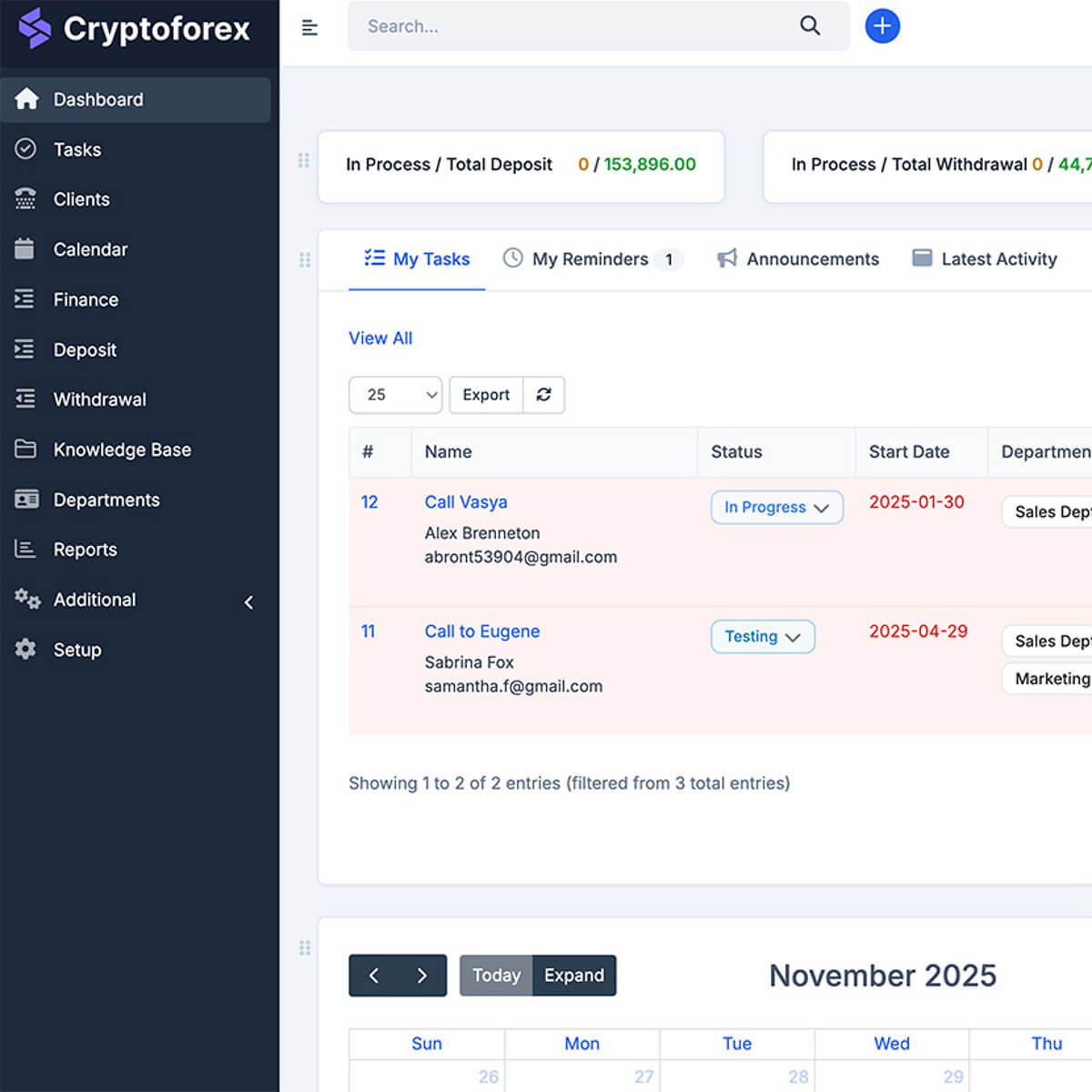
Custom CRM development costs between $20,000 and $150,000+, depending on feature scope, team composition, and integration complexity. A basic CRM with lead management and contact tracking for teams under 20 costs $20,000–$40,000 and takes 2–3 months to build.
A mid-tier system with telephony, analytics, and file management runs $60,000–$80,000 (2–4 months). Enterprise-grade platforms with ERP/HRM integrations, granular role management, and 100+ users start at $120,000–$150,000 with a 4–6 month timeline.
- Key cost drivers: number of modules, third-party integrations, role-based access architecture, mobile version
- Custom CRM pays back its investment in 1–3 years compared to SaaS subscriptions for teams of 20+ people
- 80% of projects start with a base package and add modules iteratively over 6–12 months
- Hidden cost #1: admin panel and financial reporting — 30–40% of total budget when the system handles transactions
Seven out of ten enterprises run their sales, marketing, and support on a CRM. The remaining three typically share one problem: they can't find an off-the-shelf solution that fits how their business actually works. This article breaks down what custom CRM development realistically costs in 2025, what drives that cost up or down, and what the build process looks like from the inside — based on projects we've delivered.
When a Custom CRM Makes Financial Sense
Before talking about cost, the honest question is whether custom development is the right call at all. The math is straightforward: a SaaS CRM subscription runs $50–$10,000/month depending on users and tier. That's $600–$120,000/year in recurring spend — forever, with no equity in the product. A custom-built system is a one-time capital investment that typically pays back in 1–3 years for teams of 20 or more.
The less obvious factor is integration friction. Off-the-shelf CRMs are built for the median business. The moment your workflow has non-standard stages, unusual data relationships, or tightly coupled dependencies with internal tools, you start spending engineering time adapting your processes to the software instead of the other way around. That adaptation cost is rarely accounted for in the "CRM subscription vs. custom build" comparison.
Custom development makes financial sense when the integration cost of a ready-made solution exceeds 40% of its subscription price over two years — or when the platform needs to own data that you can't afford to store on a third-party vendor's infrastructure.
 Yuri MusienkoBusiness developer, Merehead
The decision also has a control dimension. With a proprietary system, you control the data model, the feature roadmap, and security policies. You're not subject to vendor pricing changes, API deprecations, or sunset announcements. For businesses in regulated industries or those handling sensitive customer data, this is often the deciding factor before cost enters the conversation.
Custom vs. Off-the-Shelf: The Real Tradeoff
Ready-made platforms like Salesforce, HubSpot, and Pipedrive solve the generalist case well. They carry years of product investment, large ecosystems of integrations, and established support structures. The tradeoff is that you pay for features you'll never use, and you can't easily change the ones that don't fit.
| Factor | SaaS CRM | Custom CRM |
|---|---|---|
| Upfront cost | Low ($0–$500/mo to start) | High ($20K–$150K+) |
| Long-term cost (3 years, 50 users) | $18K–$360K+ | Fixed + maintenance (~10–15%/yr) |
| Workflow fit | You adapt to the platform | Platform adapts to you |
| Data ownership | Vendor-hosted | Full ownership |
| Integration depth | Marketplace connectors | Native, custom-built |
| Time to launch | Days–weeks | 2–6 months |
| Scalability | Depends on vendor's roadmap | Fully controlled |
Four CRM Types — and Which One You Actually Need
CRM systems divide into four functional archetypes. Most custom projects end up combining two or three of these, which is one of the core advantages of building versus buying.
Operational CRM automates the day-to-day: lead processing, task assignment, pipeline management, customer interaction logging. This is the most common type we build — it fits sales-driven businesses that need process consistency at scale.
Analytical CRM focuses on data: which channels produce qualified leads, where deals stall in the pipeline, what customer segments behave which way. It usually requires a reporting engine and a well-structured data layer underneath.
Strategic CRM aggregates customer data to predict behavior and inform product or go-to-market decisions. It's closer to a BI tool than a traditional CRM — relevant for businesses with large enough customer bases to extract statistically meaningful patterns.
Collaborative CRM connects cross-functional teams around the customer record — sales, support, logistics, billing — with shared visibility and workflow handoffs. This is typically where building your own CRM system starts to make the most sense, because off-the-shelf tools rarely model multi-department handoffs the way a specific business actually runs them.
Core Modules and What They Cost to Build
CRM development cost is essentially the sum of its modules. Here's a realistic breakdown of what each functional layer adds to the estimate:
| Module | Description | Estimated Cost Add |
|---|---|---|
| Contact & account management | Demographic data, interaction history, segmentation | Base (included in all tiers) |
| Sales pipeline | Lead stages, deal tracking, conversion funnel | +$4,000–$8,000 |
| Task & interaction automation | Scheduled tasks, follow-up triggers, reminders | +$5,000–$10,000 |
| Analytics & reporting | Dashboards, charts, custom report builder | +$8,000–$15,000 |
| Role-based access control | Permission scopes per user type and entity | +$5,000–$12,000 |
| IP telephony integration | Call logging, recording, click-to-call | +$8,000–$14,000 |
| File management | Document upload, versioning, linked to records | +$3,000–$6,000 |
| Email / marketing integration | Campaign tracking, email sync, lead scoring | +$6,000–$12,000 |
| Admin panel + financial reporting | User management, audit log, transaction reports | +$15,000–$35,000 |
| Mobile version (iOS/Android) | Native or cross-platform mobile app | +$20,000–$40,000 |
| ERP / HRM integration | Sync with external enterprise systems | +$10,000–$25,000 |
Custom CRM Development Cost by Tier
Based on production projects, we group custom CRM builds into three tiers. Each represents a distinct scope and target business profile.
Tier 1 — Basic CRM: $20,000–$40,000 / 2–3 months
Covers the minimum viable feature set: lead intake, contact management, interaction history, basic pipeline tracking, and a simple reporting dashboard. Suitable for teams under 20 people where the primary goal is replacing spreadsheets or an outgrown free tool. Around 80% of first-time CRM projects fall into this range.
Tier 2 — Professional CRM: $60,000–$80,000 / 2–4 months
Adds telephony, file upload and versioning, an analytics engine, and deeper integration with external data sources. The right fit for logistics, healthcare, and financial services companies that need to process high data volumes and maintain structured audit trails. In healthcare contexts, this tier is where EMR/EHR system requirements start overlapping with CRM functionality — patient records, referral tracking, and compliance reporting often belong to the same platform.
Tier 3 — Enterprise CRM: $120,000–$150,000 / 4–6 months
Full-scale systems for organizations with 100+ users, requiring third-party service integrations, granular role and permission management, internal communication tools, and ERP or HRM connectivity. If you're running parallel systems for sales, HR, and operations and want them sharing a unified data layer, this is the scope. Companies evaluating this tier often have a parallel conversation about ERP development costs — because at this scale, the decision of where CRM ends and ERP begins is a genuine architectural question.
At enterprise scale, the admin panel and financial reporting layer is never a footnote — it accounts for 30–40% of total development cost. Teams that underestimate it in the initial estimate inevitably face scope creep mid-project.
Yuri MusienkoBusiness developer, MereheadThe Hidden Cost Driver: Admin Panel and Role Architecture
In our experience, admin-side functionality is consistently the most underestimated line item in a CRM estimate. Clients typically allocate 15–20% of budget to the administrative layer. In systems that handle financial transactions, user balances, or multi-party workflows, the real number is 30–40%.
A representative admin scope from a recent B2B service platform we built included: independent balance management for three user types, financial reports with filters by region, date, and employee, manual transaction correction with a full audit log, account blocking with cascade effects on active records, and a ticketing system with routing logic. Each of these requires independent business logic design and QA coverage — they're not UI components you clone from the user-facing side.
Separately scoping the admin layer from the user-facing CRM at the estimation stage is the single most reliable way to prevent budget overruns. If your system touches money or compliance, budget them independently and in detail.
Yuri MusienkoBusiness developer, MereheadRole-Based Access: The Architecture Decision That Compounds
Role-based access control is another area where early architectural choices have disproportionate downstream consequences. The common mistake is implementing roles as a simple role_id field on the user table, then conditionally showing or hiding UI elements. This works for two roles. It breaks down at three, and becomes unmanageable at four or more.
In a multi-role B2B platform we built within this Digital Marketing segment, we had three distinct actor types with different visibility into the same transaction records. Each role could perform a different subset of actions on the same entity depending on its state in the workflow. Implementing this through UI-level conditionals would have created an unmaintainable tangle of if statements across the codebase.
The solution: a permission scope layer with action-level grants tied to both user type and entity state. When the client needed a fourth role six months post-launch, adding it was a configuration task — no schema changes, no code modifications in existing business logic. The upfront cost of this architecture was roughly $8,000–$12,000 more than the naive implementation. The savings on that single change request were immediate.
What the Development Process Actually Looks Like
The full process for building a CRM from scratch breaks into five stages. The sequence matters — shortcuts in the early stages reliably create expensive problems in the later ones.
Stage 1: Requirements and Technical Specification
A business analyst or project manager translates your goals and workflow into a formal technical specification. This document defines: what the system does, what it doesn't do, who the user types are, what data flows between them, and what edge cases need explicit handling. The quality of this document directly determines how much rework occurs during development.
Key outputs: entity-relationship diagram, user story map, API contract sketches, integration requirements list.
Stage 2: UX/UI Design
Complex internal tools like CRMs have different UX priorities than consumer apps. The interface needs to support high-frequency, task-dense workflows without cognitive overhead. Good CRM UX means: obvious navigation between entities, inline editing where possible, bulk action support, and data-dense views that don't require constant context-switching.
For reporting and analytics sections, visual design carries functional weight — a poorly designed dashboard with the right data is less useful than a well-designed one. Plan for dedicated UX work on the reporting layer, not just on the transactional screens.
Stage 3: Architecture Design
System architecture decisions at this stage include: database schema design, API structure, caching strategy, integration patterns for third-party services, and scaling architecture. For CRMs expected to handle more than 50 concurrent users or complex background jobs (automations, batch imports, scheduled reports), decisions made here directly impact infrastructure costs and performance at scale.
Stage 4: Development and Integration
Frontend and backend development runs in parallel sprints. Integrations with external services — telephony providers, email platforms, payment processors, ERP systems — are typically scheduled after the core data model is stable. Attempting integrations before the internal data model is finalized creates the most common source of rework in CRM projects.
Stage 5: QA, Testing, and Launch
QA begins during development, not after. A separate testing pass covers: functional testing per user story, integration testing for all connected services, load testing for systems with concurrent user requirements, and security testing for any system handling personal or financial data. A CRM isn't ready for production launch until role-based access restrictions have been explicitly tested — not assumed to work correctly based on the implementation.
Before You Start: Four Questions to Answer
Projects that run over budget almost always share one trait: the scope wasn't precisely defined before development started. These four questions, answered concretely, prevent the most common causes of scope creep.
1. What business process are you automating? "Sales CRM" is not an answer. "Automating the hand-off between SDR and account executive at the qualified lead stage, with automatic task creation and activity logging" is an answer.
2. Who are the user types and what does each one do? Map every role to its concrete actions. This directly generates your permission matrix and simplifies both architecture and UX design.
3. What does your data model look like? List the core entities: contacts, companies, deals, tasks, documents, users. Define relationships. Identify which entities need a full audit history versus which don't.
4. What integrates with what? Every third-party integration — telephony, email, ERP, payment processor, calendar — adds scope, testing effort, and ongoing maintenance. Identify which are must-have at launch versus nice-to-have in phase two.
Selecting a Technology Stack
Stack selection for CRM development is rarely controversial. The criteria are: team expertise, long-term maintainability, and fit with integration requirements.
| Layer | Common Choices | Notes |
|---|---|---|
| Frontend | React, Vue.js | React preferred for complex state management in data-dense UIs |
| Backend | Node.js, Python (Django/FastAPI), PHP (Laravel) | Choice driven by team expertise and integration ecosystem |
| Database | PostgreSQL, MySQL | PostgreSQL preferred for complex relational schemas with JSONB needs |
| Cache / Queue | Redis, RabbitMQ | Redis for caching and session storage; queue for background jobs |
| Infrastructure | Docker + AWS / DigitalOcean / GCP | Containerization from day one simplifies scaling and deployment |
| Mobile (optional) | React Native, Flutter | React Native if code sharing with web frontend is a priority |
How to Choose a Development Partner
The technical partner you choose affects not just delivery quality but the accuracy of the initial estimate. Firms that under-estimate to win a contract and over-deliver scope creep invoices are common in the CRM development space.
When evaluating vendors for a custom CRM project, the specific questions that matter:
- Do they have CRM-specific portfolio work? Generic software development experience doesn't transfer cleanly to CRM projects, which have specific patterns around role-based access, workflow state machines, and reporting architecture.
- How do they handle scope changes? Change requests are inevitable. Ask for their process — a mature team has a defined CR workflow with written impact assessments, not ad-hoc negotiation.
- Who owns the code and IP? Confirm this in the contract before any work begins. The answer should be unambiguous: the client owns all deliverables and there are no vendor-side licenses on production code.
- What's included in post-launch support? A CRM launching into production will have bugs. Define the support period, response SLA, and what constitutes a warranty fix versus a billable change.
Third-party review platforms like Clutch and GoodFirms carry signal here, but the most reliable signal is a direct conversation with a past client from a comparable project. Any vendor worth working with should be able to facilitate this. For a deeper look at what to look for in a CRM software development company, the selection criteria vary depending on whether you're building from scratch or extending an existing system.
CRM Development Cost: Complete Summary Table
| Tier | Target Business | Core Features | Cost | Timeline |
|---|---|---|---|---|
| Basic | Teams up to 20 users | Contacts, pipeline, basic reporting, task management | $20,000–$40,000 | 2–3 months |
| Professional | Logistics, healthcare, finance | + Telephony, file management, analytics, data integrations | $60,000–$80,000 | 2–4 months |
| Enterprise | 100+ users, multi-department | + ERP/HRM integration, role architecture, internal communication, compliance | $120,000–$150,000 | 4–6 months |
Annual maintenance (bug fixes, dependency updates, minor feature additions) typically runs 15–20% of the initial development cost per year.
FAQ
The average custom CRM development cost ranges from $20,000 to $150,000+, depending on the scope of features, number of user roles, required integrations, and whether a mobile version is included. Basic systems for small teams start at $20,000–$40,000. Enterprise-grade platforms with ERP connectivity and complex role architecture start at $120,000.
Development timelines range from 2 months for a basic CRM to 6 months for an enterprise-grade system. The most time-consuming phases are requirements specification, role-based access architecture design, and third-party integration testing. A well-defined specification document at the project start typically reduces the overall timeline by 20–30%.
For teams under 10–15 people with standard workflows, buying is almost always cheaper in the short term. For teams of 20+ with non-standard processes, heavy integration needs, or compliance requirements, building typically pays back within 1–3 years compared to ongoing SaaS subscription costs. The break-even point depends on the number of users and the subscription tier required.
The five biggest cost drivers are: (1) number and complexity of modules, (2) third-party integrations — each one adds development, testing, and maintenance scope, (3) role-based access architecture — properly designed permission systems cost more upfront but save significantly on future changes, (4) admin panel complexity — especially when financial transactions or compliance reporting are involved, and (5) mobile version development.
Most CRM projects use React or Vue.js on the frontend, Node.js or Python on the backend, and PostgreSQL or MySQL as the primary database. Redis is common for caching and background job queues. The choice of backend framework is less important than the team's expertise with it — a well-built Laravel CRM will outperform a poorly architected Node.js one.
Yes, and this is one of the strongest arguments for custom development. ERP integration — particularly with custom or legacy systems — is often impossible or prohibitively expensive through off-the-shelf CRM connector marketplaces. A custom CRM can be architected from day one to share a data layer with your ERP, eliminating double-entry, sync delays, and reconciliation problems.