Building a CRM system from scratch means designing software that maps directly to your sales workflows, data model, and compliance requirements — instead of forcing your team to work around the constraints of Salesforce, HubSpot, or Zoho. The result is full ownership of your customer data, an architecture that scales with your business, and integrations that connect exactly the systems you use.
Custom CRM development makes the most sense when your processes are non-standard, your data model is complex, or per-user SaaS fees have started to outpace the value delivered. It requires more upfront investment than an off-the-shelf tool, but the long-term economics — no vendor lock-in, no feature ceiling, no recurring per-seat cost — typically favor custom builds for teams above 50 users or with specialized workflows.
Here is what building a production-grade CRM system involves:
- Discovery and requirements mapping — defining user roles, data flows, and integration points before writing a line of code
- Architecture design — choosing between monolithic and microservices, selecting a database strategy, and designing the API layer
- Tech stack selection — frontend framework, backend runtime, database engine, caching, and deployment infrastructure
- Core module development — contact management, sales pipeline, task automation, and reporting dashboards
- Third-party integration — ERP, marketing automation, email providers, payment gateways, and communication tools
- Security and compliance implementation — role-based access, encryption, audit logs, and GDPR/CCPA controls
- Testing, deployment, and user onboarding — QA, load testing, data migration, and training
- Post-launch maintenance and scaling — monitoring, iterative feature development, and infrastructure scaling
What Is a CRM System and How It Works
A CRM system centralizes how your organization manages customer interactions, tracks leads through the sales pipeline, and automates repetitive sales and service tasks. At its core, it connects three layers: a user interface that sales reps and managers interact with daily, a backend that processes business logic and handles data operations, and a database that stores all customer and transaction data with referential integrity.
Three architectural categories define most CRM platforms. An operational CRM automates sales workflows, follow-up sequences, and marketing tasks — it reduces manual effort in deal progression. An analytical CRM runs reporting and forecasting on top of your customer data, surfacing patterns in buying behavior, sales cycle length, and revenue attribution. A collaborative CRM connects sales, support, and marketing teams around a shared customer record, eliminating the information silos that slow enterprise deals.

Modern CRM systems also depend on two cross-cutting capabilities. Automation handles the trigger-based tasks — assigning leads, sending follow-ups, escalating stalled deals — so your sales team focuses on conversations rather than data entry. Analytics close the loop by turning activity logs into pipeline forecasts and churn signals. The combination is what separates a productive CRM from a glorified contact list.
Build vs Buy: When Custom CRM Development Makes Sense
The build-vs-buy decision reduces to a question of fit and control. Off-the-shelf CRMs like Salesforce Enterprise or HubSpot deliver a working product quickly, but they impose a data model, a feature set, and a pricing structure that you don't control. Custom CRM development inverts that tradeoff: higher upfront cost, full control over architecture, data ownership, and integration depth.
| Criterion | Off-the-Shelf CRM | Custom CRM |
| Time to first use | Days to weeks | 4–12 months |
| Total cost of ownership (3 yr, 100 users) | $180k–$600k (per-seat fees) | $120k–$350k (build + maintenance) |
| Data ownership | Vendor holds data | Full ownership |
| Workflow customization | Limited to platform model | Unlimited |
| Integration depth | Pre-built connectors only | Any system via custom API |
| Compliance control | Shared responsibility | Full control |
| Scaling ceiling | Plan-based limits | Infrastructure-only limit |
| Vendor lock-in risk | High | None |
Custom development makes economic sense when your team exceeds 50 users, your workflows don't fit standard CRM objects, or you operate in a regulated industry where data residency and audit trails require infrastructure-level control. Below that threshold, a well-configured HubSpot or Pipedrive implementation often delivers better ROI than a build-from-scratch project.
Benefits of Building a Custom CRM
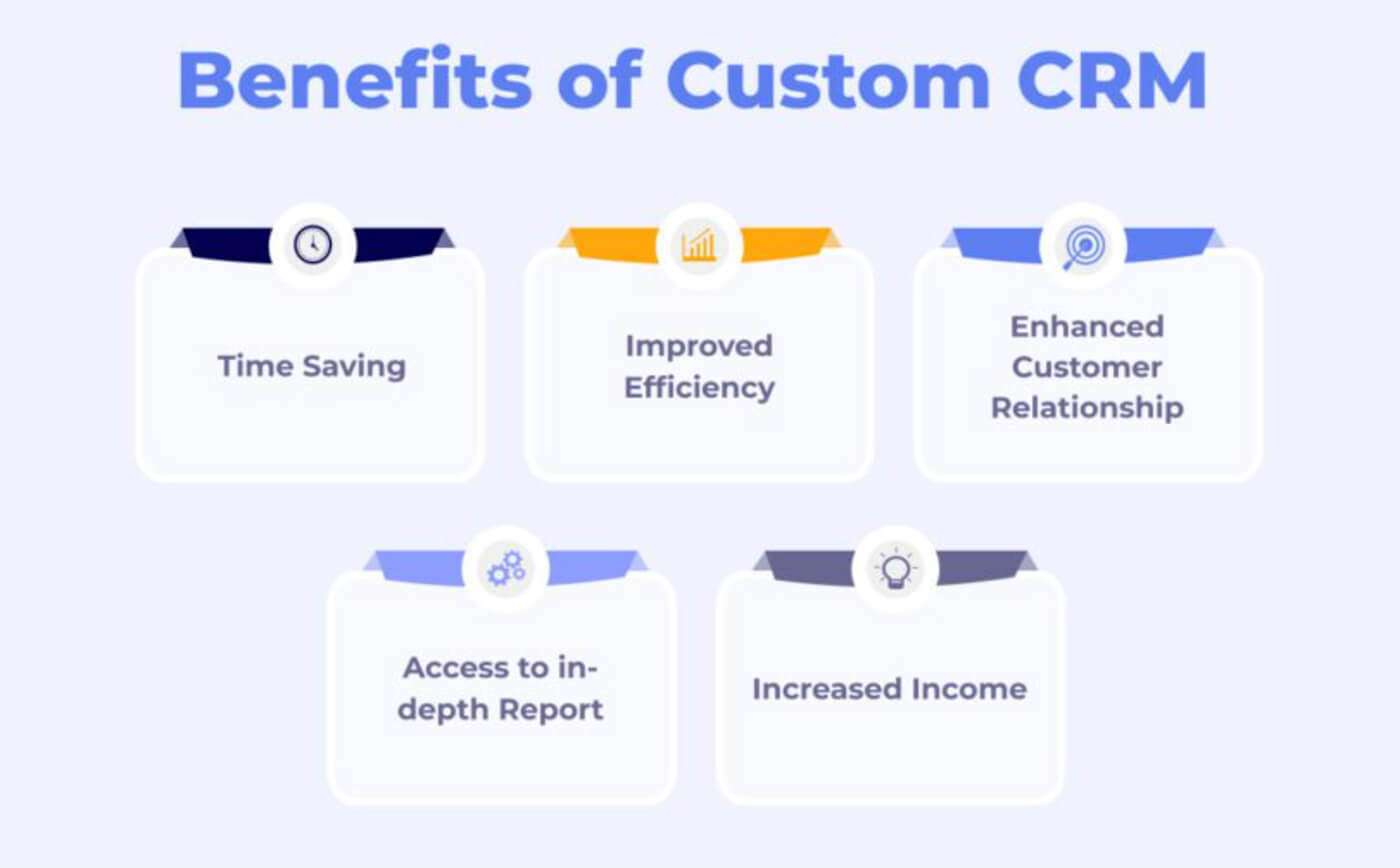
A custom CRM gives your team software that reflects how your business actually works. You define the data model, the pipeline stages, the automation triggers, and the reporting dimensions — nothing gets forced into a generic object structure designed for a median customer.
The integration story is fundamentally different. Off-the-shelf CRMs connect to external systems through pre-built connectors that cover common tools but break down on custom or legacy infrastructure. A custom CRM integrates with your ERP, HRM, billing system, and data warehouse at the API level, with field-level mapping you control. Data silos disappear because the integration layer is part of the product, not an afterthought.
Compliance and data ownership shift entirely to your side. For companies handling sensitive customer data in financial services, healthcare, or B2B SaaS, that's not a preference — it's a requirement. You choose the encryption standard, the data residency region, the audit log retention policy, and the access control model. No vendor controls those decisions.
The cost curve also inverts over time. A 100-user Salesforce Enterprise deployment costs $150–$300 per user per month. At 100 users, that's $180k–$360k per year in recurring fees, before any customization work. A custom CRM built for $150k and maintained at $30k per year pays back in under two years and eliminates the per-seat fee permanently.
Key Features of a Modern CRM

A production CRM needs more than a contact list and a Kanban board. These are the modules that carry real engineering weight in a custom build:
- Contact and lead management. Centralized customer profiles with full interaction history, segmentation tags, relationship mapping, and duplicate detection. The data model here determines query performance at scale — schema design matters as much as feature scope.
- Sales pipeline and forecasting. Configurable pipeline stages with deal weighting, probability scoring, and revenue forecasting. Custom stage logic (e.g., multi-approval deals, non-linear stages) requires backend business logic, not just UI configuration.
- Task and activity tracking with SLA logic. Automated scheduling, follow-up triggers, and deadline management. In enterprise workflows, SLA timers per pipeline stage — with automatic escalation when thresholds are exceeded — prevent deals from stalling silently.
- Email and communication integration. Native sync with Gmail, Outlook, and Twilio for two-way logging. All communications attach to the contact record automatically, creating a complete audit trail without manual entry.
- Marketing automation and campaign management. Behavioral triggers, lead nurturing sequences, and audience segmentation. Integration with marketing platforms via webhook or event-driven architecture keeps the CRM and marketing stack in sync without batch imports.
- Analytics and reporting dashboards. Real-time pipeline metrics, conversion rates by stage, rep performance, and revenue attribution. Customizable dashboard components that sales managers can configure without developer involvement.
- Role-based access control. Granular permissions by user role — sales rep, manager, admin, read-only client portal. Row-level security in the database layer, not just UI-level hiding, ensures data isolation between teams and regions.
- Mobile responsiveness. Full CRM functionality on mobile — deal updates, activity logging, contact lookup — without a native app rebuild. Progressive web app architecture or React Native covers most enterprise use cases.
- Third-party integrations via API. Payment gateways, accounting software, customer support tools, and data warehouses. An API-first architecture from day one means adding a new integration is hours of work, not a platform migration.
The implementation complexity varies significantly across these modules. Contact management and basic pipeline are straightforward to build; real-time activity feeds, complex SLA automation, and analytics at scale require deliberate architectural decisions before development starts.
Planning Your CRM: Research and Discovery Stage
The discovery phase determines whether your CRM project succeeds or ships six months late with the wrong feature set. Start by defining measurable business goals: what specific outcomes does the CRM need to produce? Faster lead response time, higher pipeline visibility, reduced manual data entry, or compliance with specific audit requirements. Vague goals produce vague requirements, which produce expensive mid-development changes.
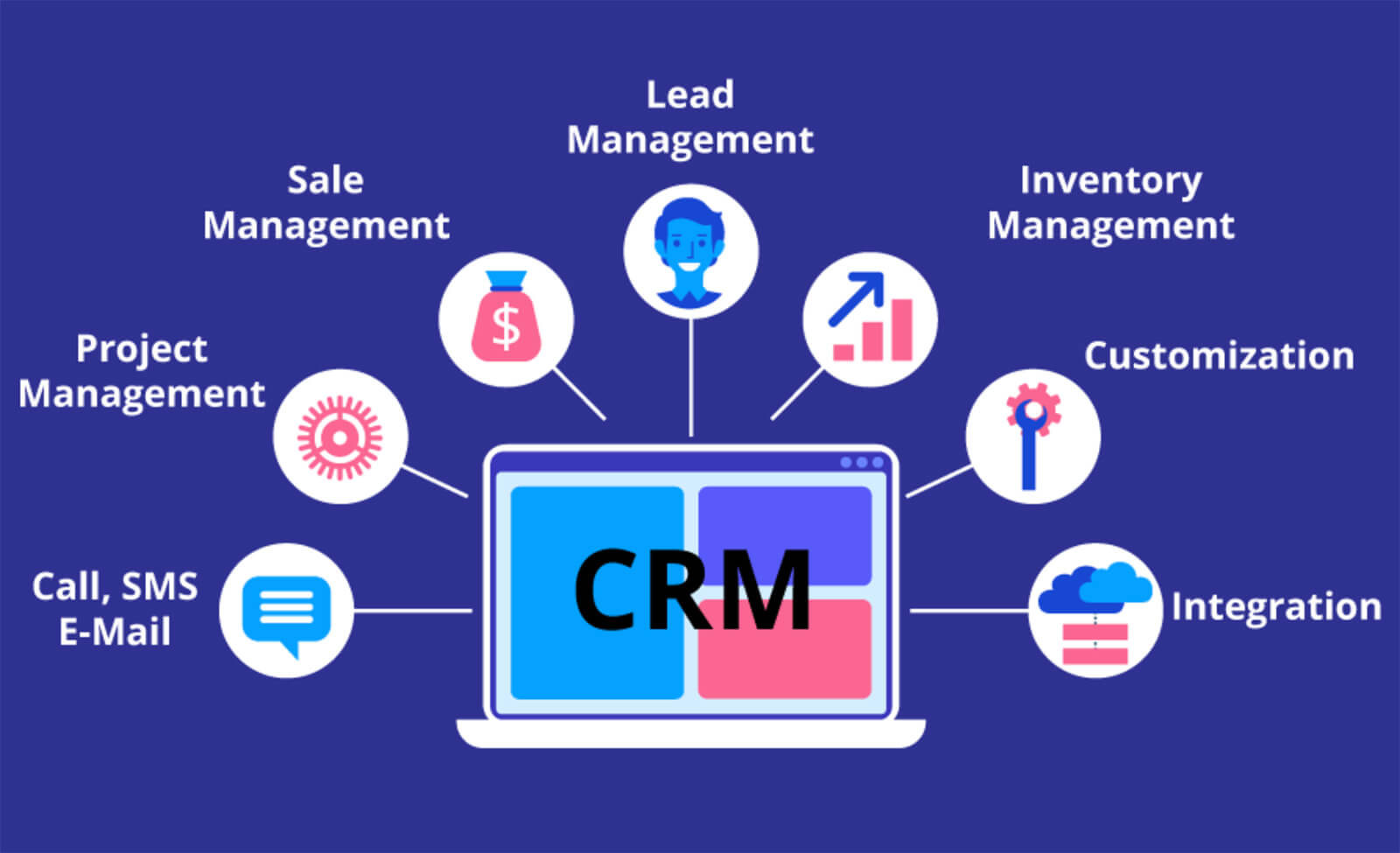
Map your current processes before designing new ones. Walk through how your sales team, marketing, and customer support handle leads, deals, and escalations today. Identify where data gets lost, where decisions slow down, and where manual effort accumulates. Those pain points become your core feature requirements — not a list copied from a SaaS product's marketing page.
Define user roles with specificity. A sales rep, a regional manager, a system admin, and a client-facing portal user all interact with the CRM differently. Write user stories for each role that describe the task, the data they need, and the action they take. This shapes feature scope, data access rules, and UI design simultaneously.
Architecture visualization belongs in the discovery phase, not after. A system context diagram showing how the CRM connects to your ERP, email infrastructure, and analytics stack surfaces integration complexity early. Integration work consistently runs over estimate when it's treated as an afterthought — starting third-party sandbox configuration in parallel with development, not after, prevents the most common timeline blocker.
Tech stack selection also happens here. The right combination depends on your scalability requirements, existing infrastructure, and team's existing expertise. Popular configurations include Node.js or Laravel for the backend, React or Vue.js for the frontend, and PostgreSQL or MongoDB for the database — but those defaults aren't universal. A CRM with heavy analytical workloads benefits from PostgreSQL with TimescaleDB extensions over MongoDB; a CRM with flexible, schema-light contact data models differently than one with strict relational integrity requirements.
UX wireframes complete the discovery deliverables. Prototype the interfaces for each user role before development starts. Usability issues caught in wireframes cost hours to fix; the same issues caught in a deployed system cost weeks.
CRM System Architecture and Technology Stack
Architecture decisions made early in a CRM project are expensive to reverse. The choices below define your system's performance ceiling, maintenance cost, and integration capacity for years after launch.
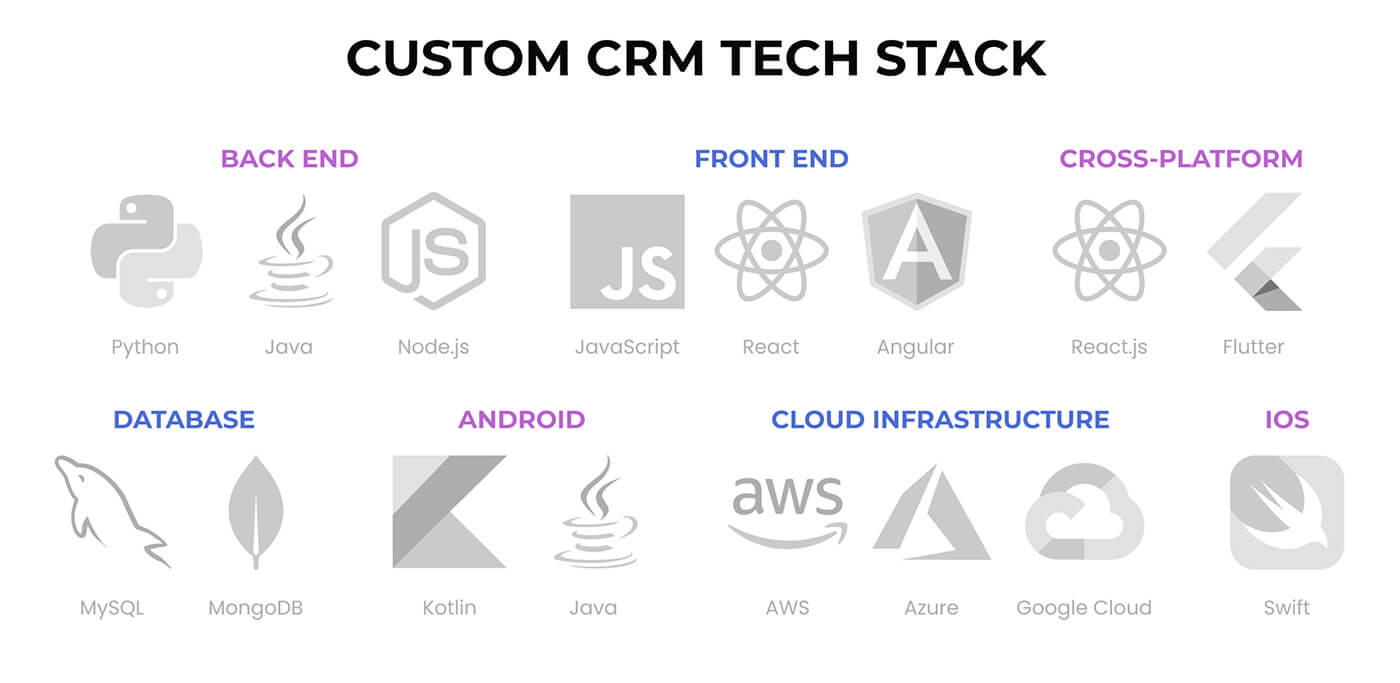
| Layer | Options | When to choose which |
| Frontend | React, Vue.js, Angular | React for large teams and component reuse; Vue for smaller teams moving fast; Angular for enterprises with strict TypeScript requirements |
| Backend | Node.js, Laravel (PHP), Python Django, Go | Node.js for real-time features and JS stack consistency; Laravel for rapid development with rich ORM; Go for high-throughput API services |
| Database (primary) | PostgreSQL, MySQL, MongoDB | PostgreSQL for relational integrity and analytical queries; MySQL for simpler read-heavy workloads; MongoDB for flexible document models with frequent schema changes |
| Caching | Redis, Memcached | Redis for session management, queue-backed jobs, and pipeline state caching; Memcached for simple key-value cache at high throughput |
| API design | REST, GraphQL | REST for standard CRUD operations and broad ecosystem compatibility; GraphQL for complex frontends with variable data requirements that would otherwise require multiple REST calls |
| Real-time layer | WebSocket, Server-Sent Events | WebSocket for bi-directional updates (pipeline state changes, live activity feeds); SSE for one-direction notification streams |
| Message queue | RabbitMQ, Kafka/Redpanda, Redis Queues | Redis Queues for simple job pipelines; RabbitMQ for reliable task distribution; Kafka/Redpanda for high-volume event streaming across microservices |
| Hosting | AWS, GCP, DigitalOcean + Docker/Kubernetes | AWS/GCP for enterprise-grade SLAs and managed services; DigitalOcean for cost-effective mid-scale deployments; Kubernetes for multi-service orchestration with autoscaling |
For CRMs handling 50–500 concurrent users, a well-structured monolithic backend with Redis caching and a solid PostgreSQL schema outperforms a premature microservices split in both development speed and operational simplicity. Microservices architecture makes sense when you have distinct modules with independent scaling requirements — for example, a reporting service that needs to handle large analytical queries without affecting the responsiveness of the pipeline API.
Real-time updates deserve specific architectural attention. A CRM that shows pipeline data with a multi-minute delay loses user trust quickly. Rather than polling the backend at intervals — which adds unnecessary load and still delivers stale data — use WebSocket connections for live state changes: deal status updates, new activity logs, notification triggers. The frontend (React + Next.js) manages the connection lifecycle, reconnection logic, and optimistic UI updates. REST API handles initial page load and offline reconciliation. The architectural cost is a persistent connection management layer; the product outcome is a CRM that feels live rather than like a database query result.
For CRMs with reporting requirements beyond basic dashboards — cohort analysis, funnel attribution, multi-dimensional forecasting — consider a single PostgreSQL instance with TimescaleDB for time-series analytics rather than spinning up a separate data warehouse. TimescaleDB's continuous aggregates and hypertable partitioning handle analytical workloads on the same database that serves transactional traffic, which significantly reduces operational complexity at mid-scale.
If your roadmap includes ERP integration, design the CRM's data model with shared entity keys from day one. Retrofitting a common customer ID across a CRM and ERP after both are in production is one of the most expensive integration projects a development team encounters.
From Engineering Practice: Scaling CRM Without Rebuilding the Core
Solution: We migrated this class of systems to Kubernetes orchestration with service-level autoscaling policies that distinguish stateless from stateful components. The production configuration: Docker-containerized microservices, Helm charts for deployment consistency, Horizontal Pod Autoscaler configured per service class, and a Redpanda (Kafka-compatible) message bus for inter-service communication. Secrets management runs through HashiCorp Vault integrated into GitLab CI pipelines.
Result: The platform handles load spikes without manual intervention. Adding a new module — a marketing automation layer, a reporting service — doesn't require touching the core pipeline engine. The architectural separation that costs 2–3 extra weeks of planning saves months of refactoring at scale.
Security and Compliance Considerations
Security architecture in a custom CRM operates at three levels: data protection, access control, and regulatory compliance. Each layer requires explicit design decisions — they don't emerge automatically from framework defaults.
Start with role-based access control at the database layer, not just the application layer. UI-level permission hiding is not sufficient — a misconfigured API endpoint bypasses it entirely. Row-level security in PostgreSQL or equivalent enforces data isolation between users, teams, and regions at the query level, regardless of which code path executes the query.
Encrypt data at rest (AES-256) and in transit (TLS 1.3). For CRMs handling sensitive customer data, application-layer encryption for specific fields — social security numbers, payment details, health information — provides an additional isolation layer beyond disk-level encryption.
Compliance with GDPR and CCPA requires more than a privacy policy. Your CRM architecture needs: data deletion workflows that propagate across all storage layers (primary DB, backups, analytics warehouse, email logs), consent management at the contact record level, and the ability to export all data for a specific customer on request. Build these as first-class features, not manual admin operations.
Automated backups, point-in-time recovery, and tested restore procedures form the operational baseline. Set up backup schedules on day one, test restore procedures before launch, and document recovery time objectives. Many teams configure backups but never test the restore — until they need it.
Schedule penetration testing before public launch and maintain detailed audit logs for all data modification events. Audit logs serve two purposes: compliance evidence for regulators, and forensic trail for security incidents. Log the who, what, when, and from-where for every write operation, and retain logs for the period required by your regulatory context (typically 12–36 months for financial services).
Step-by-Step Development Process for Building a CRM System
Building a production CRM follows a structured sequence where each phase creates the foundation the next one depends on. Skipping or compressing phases — particularly discovery and architecture design — generates technical debt that costs more to fix than the time it saved.
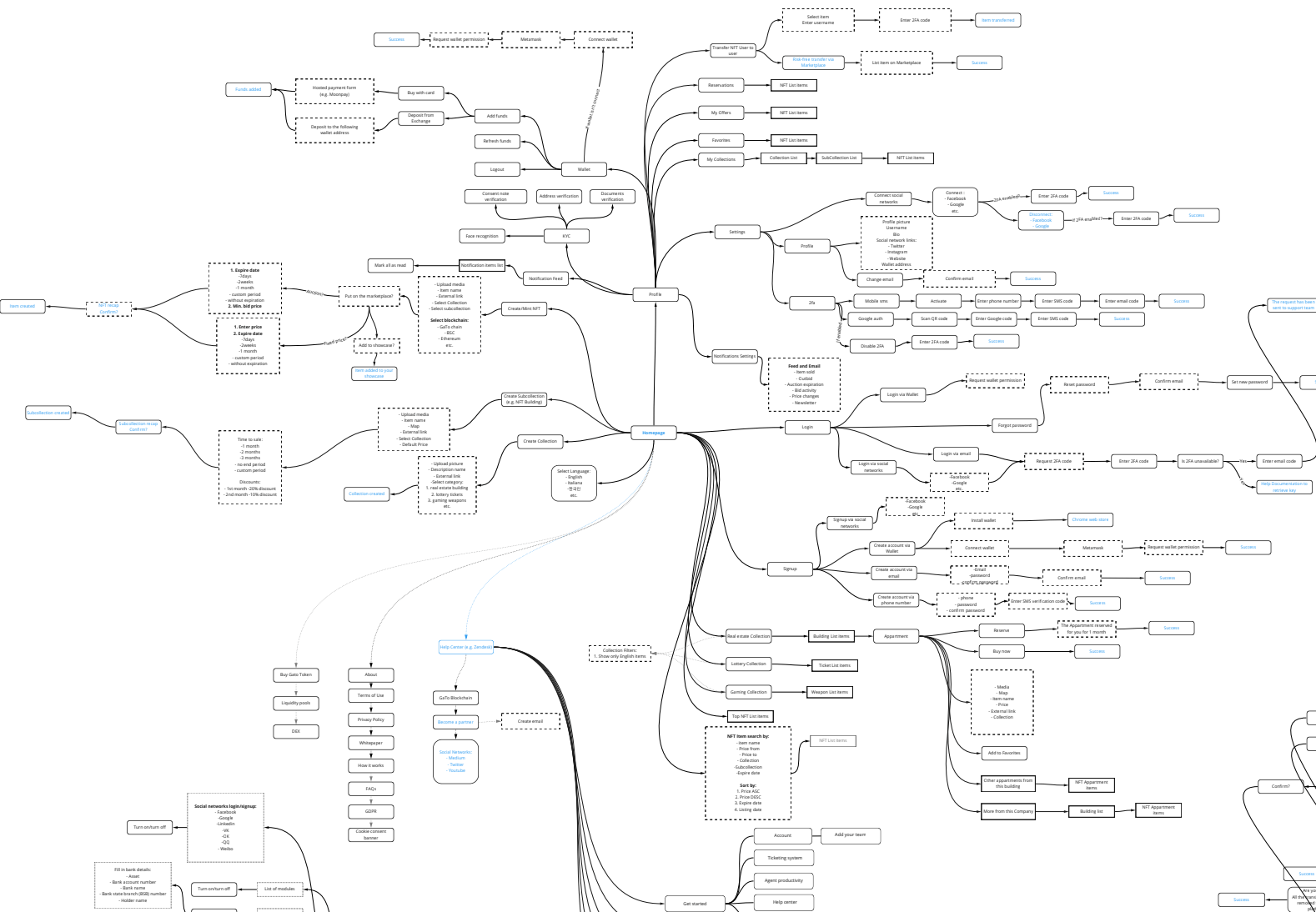
1. Discovery and Requirements Analysis (2–4 weeks)
Engage stakeholders across sales, marketing, customer service, and IT to map existing workflows, identify integration requirements, and define measurable success criteria. The deliverable is a requirements document specific enough to estimate accurately and a backlog organized by dependency order, not feature priority alone.2. System Design and Architecture Planning (3–5 weeks)
Translate requirements into a technical blueprint: database schema, API interface contracts, service boundaries, and deployment topology. Finalize the tech stack here — backend framework, database engine, caching strategy, and message queue if needed. Architecture decisions made in this phase are expensive to reverse in development; invest the time.3. UI/UX Design (3–6 weeks)
Create wireframes and interactive prototypes for each user role. Focus on task flow efficiency — a sales rep updating a deal mid-call needs a 3-tap path, not a 7-click workflow. Run usability testing with actual users before handoff to development. Interface problems caught in prototype cost hours; the same problems in a deployed product cost weeks.
4. Backend and Frontend Development (4–6 months for MVP; 8–12 months for enterprise)
Build core modules in dependency order: data models and API layer first, then business logic, then UI components. Use Agile sprints with two-week cycles and working software at each sprint boundary — not just progress reports. Backend handles data processing, business rules, and API integrations; frontend implements the interface against API contracts defined in Phase 2.5. Third-Party Integration (concurrent with development)
Start third-party integrations in parallel with core development, not after. Every external dependency — email provider, ERP connector, payment gateway, identity provider — has sandbox setup time, API rate limits to understand, and webhook behavior to validate. Starting integration work on day one of development, not after core modules ship, prevents the most common launch blocker: a finished CRM waiting on an external API configuration.6. Testing and Quality Assurance (throughout; intensive 4–6 weeks pre-launch)
Run unit tests and integration tests continuously throughout development. The pre-launch intensive phase covers performance benchmarking under realistic load, security audit (automated scanning + manual penetration testing), and user acceptance testing with real users following their actual workflows. Verify GDPR/CCPA compliance mechanisms — data export, deletion propagation, consent flows — before launch, not after a regulator asks.7. Deployment and User Onboarding (2–4 weeks)
Deploy to production on cloud infrastructure with automated rollback capability. Data migration from legacy CRM or spreadsheets requires mapping, transformation scripts, and a validation run before cutover. Provide role-specific training materials and a support channel for the first 30 days — adoption rate in the first month determines whether the CRM becomes the team's system of record or a parallel tool that gets abandoned.8. Maintenance and Scaling (ongoing)
Post-launch monitoring surfaces the performance issues that load testing misses under real usage patterns. Establish a regular cadence for user feedback collection, a process for prioritizing feature requests against technical debt, and infrastructure scaling reviews quarterly. A modular architecture makes adding new modules — AI-assisted lead scoring, advanced forecasting, a client portal — a development project rather than a platform replacement.| Build scope | Timeline | Core deliverables |
| MVP CRM | 4–6 months | Contact management, lead tracking, basic pipeline, email integration, reporting |
| Enterprise CRM | 8–12 months | All MVP features + marketing automation, multi-team workflows, advanced analytics, custom integrations, compliance controls |
From Engineering Practice: Multi-Role CRM with SLA-Driven Workflows
Solution: We built this architecture in production for a B2B international payment platform where three distinct parties (transaction sender, receiver, and agent) interact with the same record through separate interfaces with different state visibility. Key design decisions: a single unified product logic with role-filtered views rather than separate portals, SLA timers on each process stage with automatic escalation if thresholds are exceeded, and all inter-party communication kept inside the platform — not routed through email or Slack — to maintain a complete audit trail.
Result: Disputes that previously required support tickets resolve from the audit trail alone. The SLA escalation logic means nothing stalls silently — every bottleneck surfaces automatically to the appropriate role. The same pattern applies directly to CRM deal workflows where multi-stakeholder approvals, legal review steps, or compliance sign-offs create non-linear pipeline stages.
Cost of Building a CRM System from Scratch
CRM development cost varies by scope, team composition, and integration complexity. The numbers below reflect production builds, not prototype-quality MVPs.
| Build scope | Budget range | What it covers |
| MVP CRM | $25,000–$50,000 | Contact management, basic pipeline, lead tracking, email integration, standard reporting. Enough to replace spreadsheets and validate the custom build decision. |
| Mid-market CRM | $50,000–$120,000 | All MVP features + marketing automation, multi-role access, custom integrations (ERP, billing), advanced analytics, mobile-responsive UI. |
| Enterprise CRM | $120,000–$250,000+ | Full feature set + multi-tenant architecture, compliance controls (GDPR/HIPAA/CCPA), Kubernetes infrastructure, AI-assisted features, white-label capability. |
The primary cost drivers are: team composition (senior engineers vs. offshore mid-level), integration count and complexity, compliance requirements, and the depth of custom business logic. A CRM with three standard integrations (email, calendar, Slack) costs significantly less than one requiring a custom ERP connector, a real-time data sync with a trading platform, and a HIPAA-compliant audit log infrastructure.
For a detailed breakdown by feature scope and team structure, the cost guide for building a CRM system covers line-item estimates across MVP and enterprise configurations. Alternatively, if you're evaluating whether to extend an existing system rather than build from scratch, custom CRM development for enterprise teams covers that specific decision framework.
Compared to Salesforce Enterprise or HubSpot Enterprise at $150–$300 per user per month, a custom build at $150k typically reaches breakeven between months 18 and 30 at 100+ users — and eliminates the per-seat cost permanently after that point.
How to Make Your CRM Scalable and Future-Proof
Scalability in a CRM isn't just about handling more users — it's about adding new capabilities without rewriting existing ones. The architectural patterns below make the difference between a CRM that serves your business for five years and one that needs a replacement at year two.
Modular architecture. Design your CRM as independent modules — contact management, pipeline engine, notification service, analytics — with clear interface boundaries between them. A module can be updated, replaced, or scaled independently without touching the rest of the system. Adding a new feature (an AI lead scoring module, a client portal, a new integration) becomes a development project, not a platform migration.
API-first design. Every CRM capability — creating a contact, updating a deal, triggering an automation — exposes a documented API endpoint from day one. This enables future integrations with tools that don't exist yet, supports mobile clients and third-party access without additional backend work, and makes the CRM composable within a broader technology stack.
Cloud infrastructure with autoscaling. Deploy on AWS, GCP, or DigitalOcean with containerized services and autoscaling policies. Design scaling policies that distinguish stateless services (API gateway, notification service — scale freely) from stateful ones (pipeline engine, contact ownership service — scale carefully with state management in place). Applying horizontal scaling to stateful services without addressing state consistency is a common architecture mistake that surfaces under real production load.
Continuous feedback loop. Instrument the CRM with usage analytics — which features get used, which get ignored, where users drop off. Collect structured feedback at regular intervals. Run performance monitoring that tracks query latency and error rates against SLA thresholds. This loop drives prioritization and catches performance degradation before it becomes a user-visible problem.
For companies that also need to manage human resources or finance alongside CRM data, HRM software development covers the architecture and integration patterns for systems that share a common user and organization data model with CRM.
From Engineering Practice: Real-Time Data Without Stale Cache
Solution: We maintain WebSocket connections for live state changes — deal updates, new activity logs, notification triggers — with REST API handling initial page load and offline reconciliation. The frontend (React + Next.js) manages connection lifecycle, reconnection logic, and optimistic UI updates. In parallel deployments, we maintain WebSocket connections to multiple data sources simultaneously, so the UI always reflects current state rather than cached values from any single source.
Result: Sales managers see deal status changes and pipeline movements the moment they happen. For teams managing 50+ active deals simultaneously, this difference is measurable in response time and deal velocity. The architectural overhead — a persistent connection management layer — is modest; the product outcome is a CRM that behaves like a live system rather than a reporting database.
Real-World CRM Implementations: What Production Looks Like
The gap between a described CRM architecture and a deployed one shows up in the details. Here are the implementation realities that appear consistently across production builds.

Integration timelines always underrun estimate. Every external dependency — email provider, ERP connector, payment gateway — has sandbox setup time, API rate limits, and webhook behavior that only becomes clear when you build against it. Start integration work in parallel with core development; integrations started after core modules ship consistently delay launches by two to four weeks.
The data migration takes longer than expected. Moving data from a legacy CRM, spreadsheets, or disconnected tools into a new system requires mapping, transformation, deduplication, and validation. Plan for at least two to three weeks for any non-trivial data migration, and run a full validation pass on migrated records before go-live. Silent data corruption in a migration is harder to detect than an obvious failure.
User adoption is a product problem, not a training problem. CRMs with poor adoption rates almost always have the same root cause: workflows that don't match how users actually work. Build onboarding flows — interactive guidance, contextual tooltips, in-product documentation — as part of the core product, not a post-launch addition. The conversion path from "demo mode" to "active user with real data" determines whether the CRM becomes the team's system of record.
Custom CRMs for fintech require compliance architecture from day one. Adding GDPR data deletion, audit logging, or field-level encryption to a CRM that wasn't designed for them is expensive. In financial services and B2B SaaS, these aren't edge cases — they're core requirements that belong in the architecture design phase, not the launch checklist.

How to Choose a CRM Development Partner
The development partner you choose determines whether your CRM ships as designed or accumulates technical debt that limits it from month six onward. Evaluate on these dimensions:
Domain experience in your industry. A team that has built fintech or B2B SaaS platforms understands the compliance requirements, data model complexity, and integration patterns your CRM needs. A generalist agency can build software; a team with fintech or enterprise SaaS experience builds the right software. Ask for production examples, not mockups.
Architecture conversation quality. In your first technical discussion, the right partner asks about your data model, your scaling requirements, and your integration architecture — not just your feature list. If the first conversation is entirely about scope and price without touching architecture decisions, treat that as a signal.
Security standards and compliance track record. Ask specifically: how do they implement role-based access control? How do they handle GDPR data deletion across all storage layers? What does their penetration testing process look like? Vague answers here indicate that security is a checkbox, not an engineering practice.
Post-launch support structure. A CRM will evolve after launch. Verify that the partner offers structured maintenance contracts, SLA-bound bug response times, and a documented process for adding new features without destabilizing the existing system. The handover documentation — architecture decisions, API contracts, deployment runbooks — matters as much as the code itself.
Communication and project management transparency. Ask to see a sample sprint report, a sample architecture decision record, and how they handle scope changes mid-project. A partner who can't show these artifacts doesn't have the process that produces them.
If you're also evaluating a CRM development company rather than building an in-house team, the guide to choosing a CRM software development company covers the vendor evaluation framework in detail.
At Merehead, we combine over a decade of fintech and enterprise platform development with a structured discovery-to-deployment process. Our team has built production systems with the architectural patterns described in this guide — from Kubernetes-orchestrated microservices to multi-role B2B workflows with SLA automation and compliance audit trails.
Conclusion
Building a CRM from scratch gives your organization something off-the-shelf tools can't deliver: software that matches your actual workflows, a data model you control, and an architecture that scales without a vendor's ceiling in the way. The investment is higher upfront, but the economics reverse at scale — no per-seat fees, no platform migration every three years, no compliance gaps introduced by a vendor's data handling policies.
The decisions that determine whether a custom CRM succeeds or stalls happen early: architecture design before development starts, integration work in parallel with core development, compliance controls built into the data model rather than layered on after launch. Teams that treat these as post-launch concerns consistently hit the same rework cycle.
If you're evaluating a custom CRM build — or deciding whether custom development is the right path for your specific requirements — start with a structured scoping exercise. Define your user roles, your integration requirements, and your compliance constraints, then map those to architecture options and build timeline. The output gives you enough specificity to estimate accurately and make the build-vs-buy decision with real numbers.